
Palworld normally forces you to hold the F key for every building or crafting action, which can quickly tire your fingers. Fortunately, two options in the game’s settings let you switch those interactions to a simple toggle, freeing you from the repetitive press.
To apply the fix, press Esc, head to Options → Game Settings, and open the Keyboard (or Controller) tab. Turn on both "Single button for hold interactions" and "Change build mode from Hold to Toggle," then confirm the changes. Enabling both options is essential; the first affects world interactions, while the second ensures crafting and building at your base also use the toggle mode.
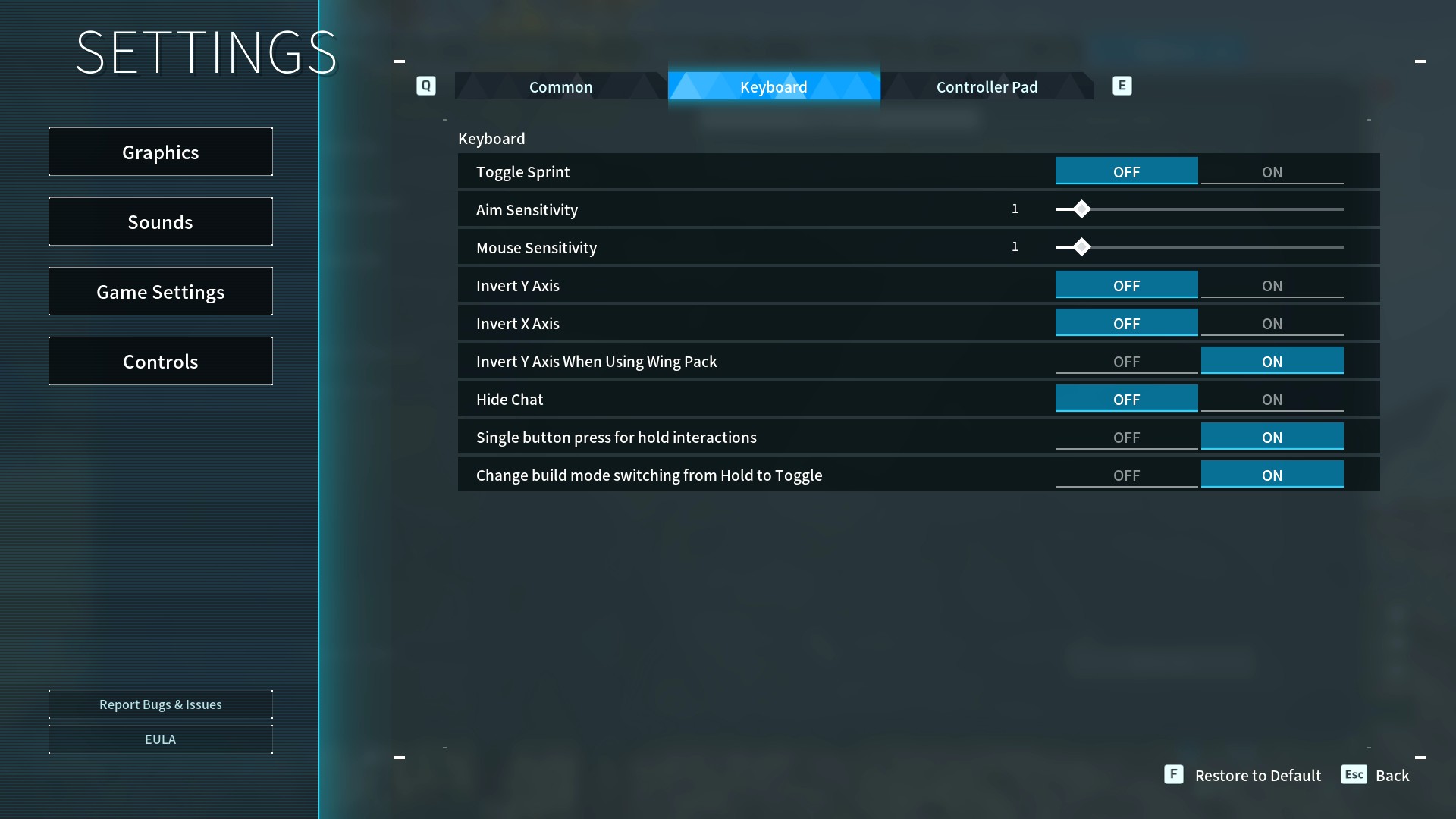
A few players have reported that the settings sometimes reset after closing the game, so it’s wise to verify they remain active at the start of each session. Once confirmed, you’ll no longer need to brace your index finger for every Pal‑bed or berry‑roasting task, giving you more time to explore the world and enjoy the game’s other features.